Create GET API
In this step, we will add the GET method to our REST API so that the frontend can retrieve the list of books from the books_list Lambda function. We will also create the API deployment and a staging stage to make the endpoint accessible via a public URL.
Edit SAM Template
Open the template.yaml file in the fcaj-book-shop folder.
Add the stage parameter under the
Parameterssection. This controls which deployment stage name is used:stage: Type: String Default: staging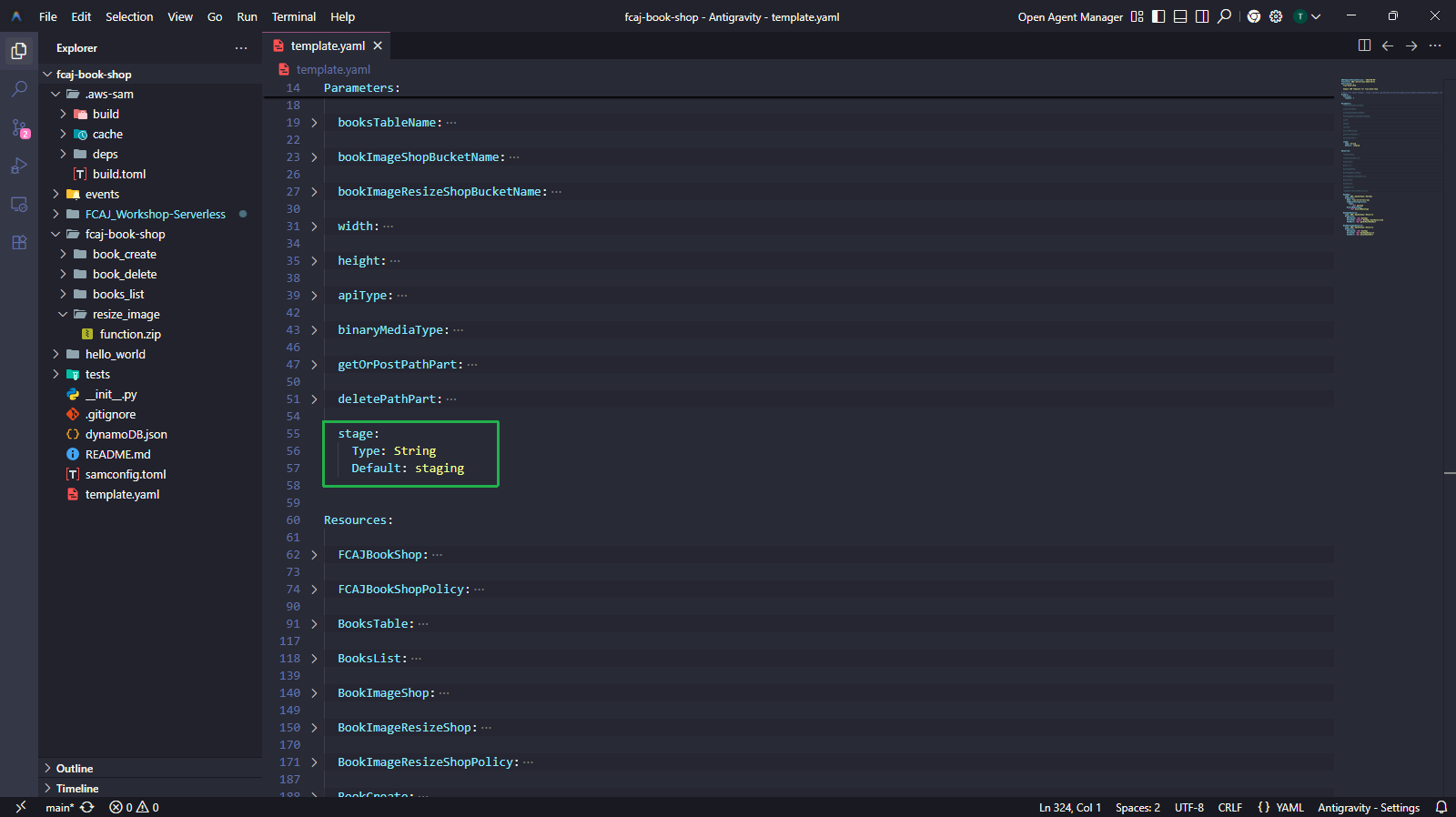
Add the following resources under the
Resourcessection to create the GET method and its deployment:BookApiGet: Type: AWS::ApiGateway::Method Properties: HttpMethod: GET RestApiId: !Ref BookApi ResourceId: !Ref BookApiResource AuthorizationType: NONE Integration: Type: AWS_PROXY IntegrationHttpMethod: POST # For Lambda integrations, you must set the integration method to POST Uri: !Sub >- arn:aws:apigateway:${AWS::Region}:lambda:path/2015-03-31/functions/${BooksList.Arn}/invocations IntegrationResponses: - StatusCode: "200" ResponseParameters: method.response.header.Access-Control-Allow-Origin: "'*'" method.response.header.Access-Control-Allow-Methods: "'GET,POST,OPTIONS'" method.response.header.Access-Control-Allow-Headers: "'Content-Type,X-Amz-Date,Authorization,X-Api-Key,X-Amz-Security-Token'" MethodResponses: - StatusCode: "200" ResponseParameters: method.response.header.Access-Control-Allow-Origin: "'*'" method.response.header.Access-Control-Allow-Methods: "'GET,POST,OPTIONS'" method.response.header.Access-Control-Allow-Headers: "'Content-Type,X-Amz-Date,Authorization,X-Api-Key,X-Amz-Security-Token'" BookApiDeployment: Type: AWS::ApiGateway::Deployment Properties: RestApiId: !Ref BookApi DependsOn: - BookApiGet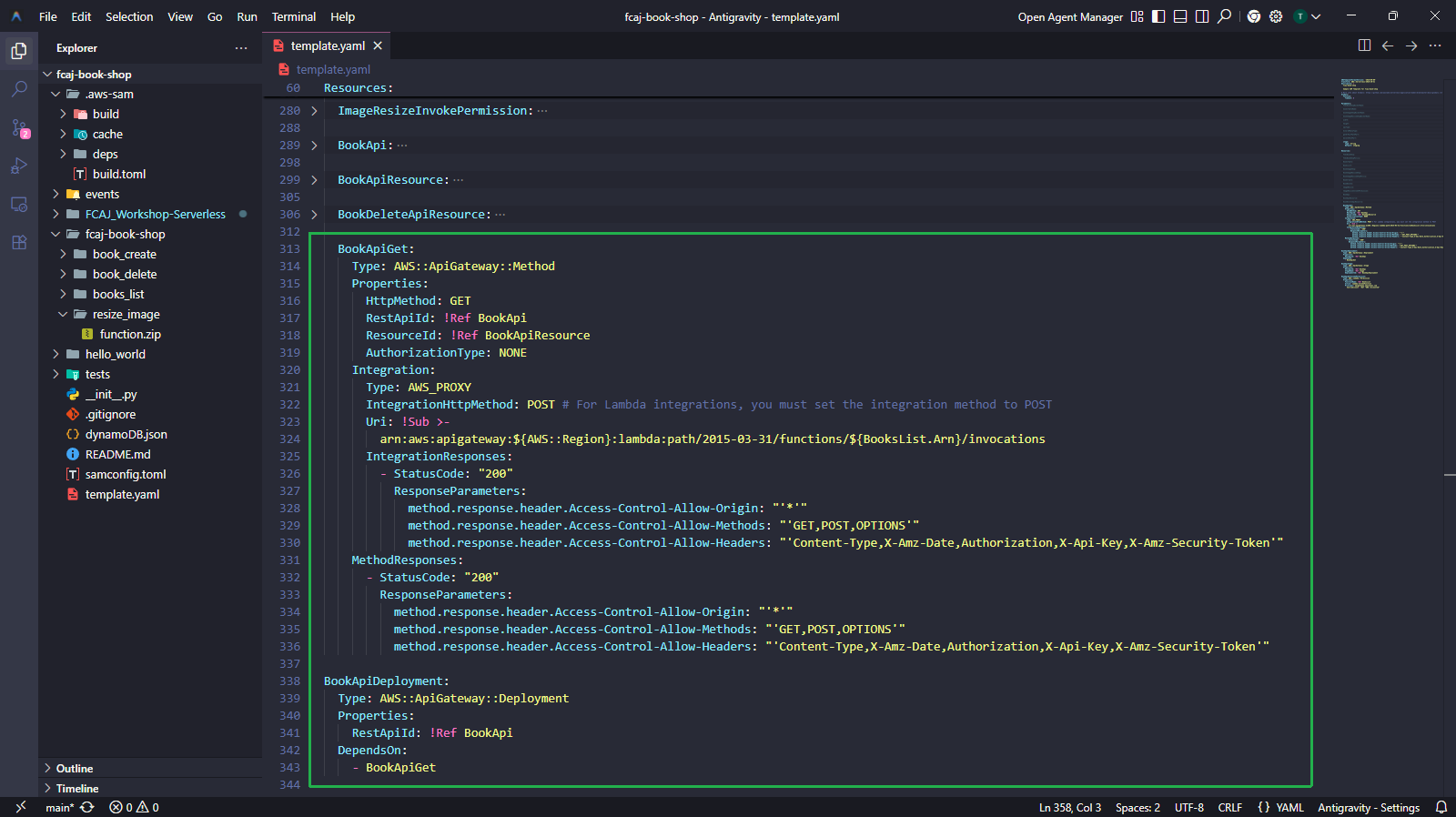
Continue adding the stage and invoke permission resources right after
BookApiDeployment:BookApiStage: Type: AWS::ApiGateway::Stage Properties: RestApiId: !Ref BookApi StageName: !Ref stage DeploymentId: !Ref BookApiDeployment BookApiGetInvokePermission: Type: AWS::Lambda::Permission Properties: FunctionName: !Ref BooksList Action: lambda:InvokeFunction Principal: apigateway.amazonaws.com SourceAccount: !Ref "AWS::AccountId"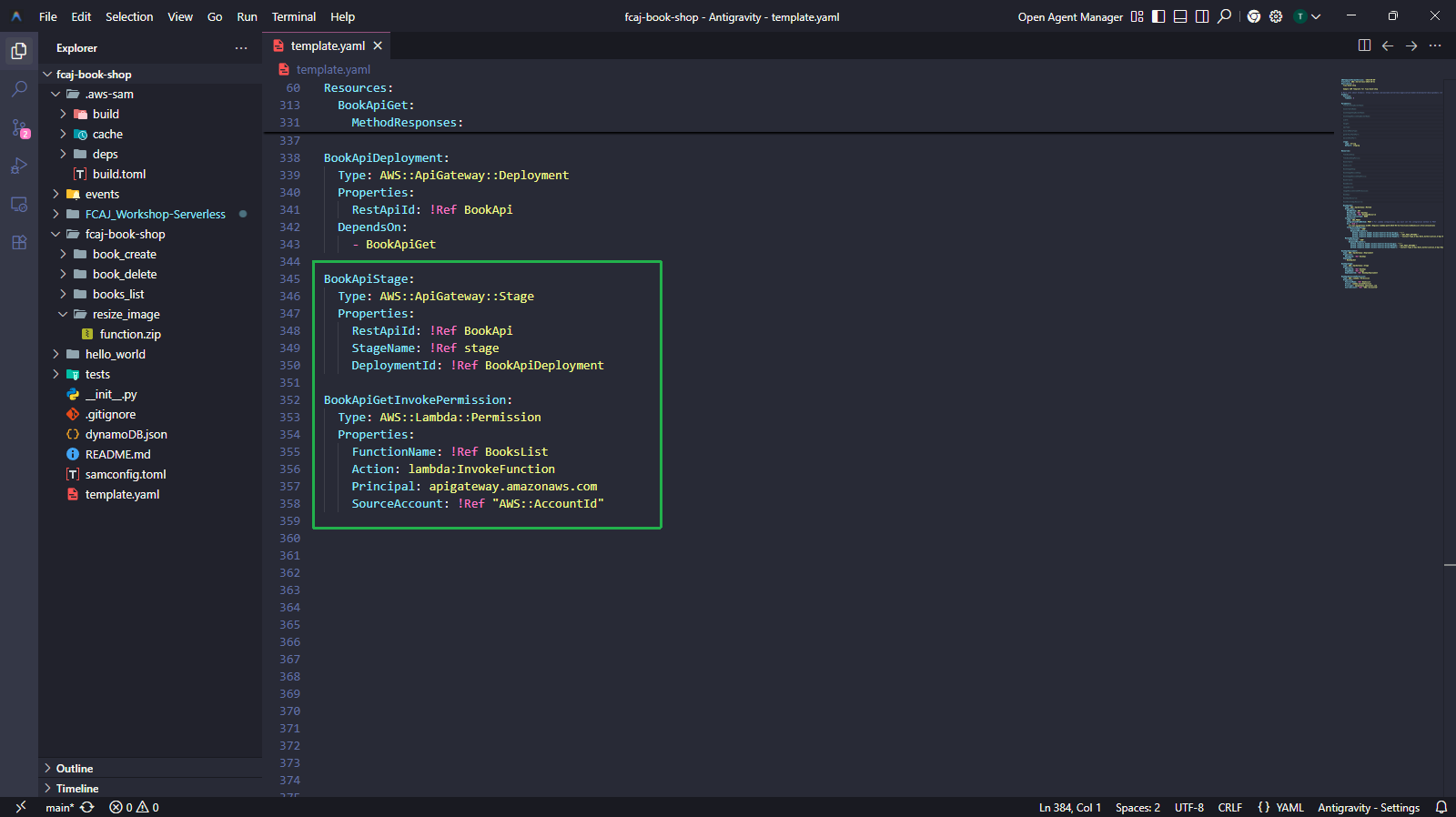
The BookApiGetInvokePermission resource grants API Gateway permission to invoke the books_list Lambda function. Without this, the API Gateway would receive a permission error when trying to call the Lambda function, even though the IAM role exists.
Build and Deploy
Run the following commands to validate and build the SAM template:
sam validate
sam build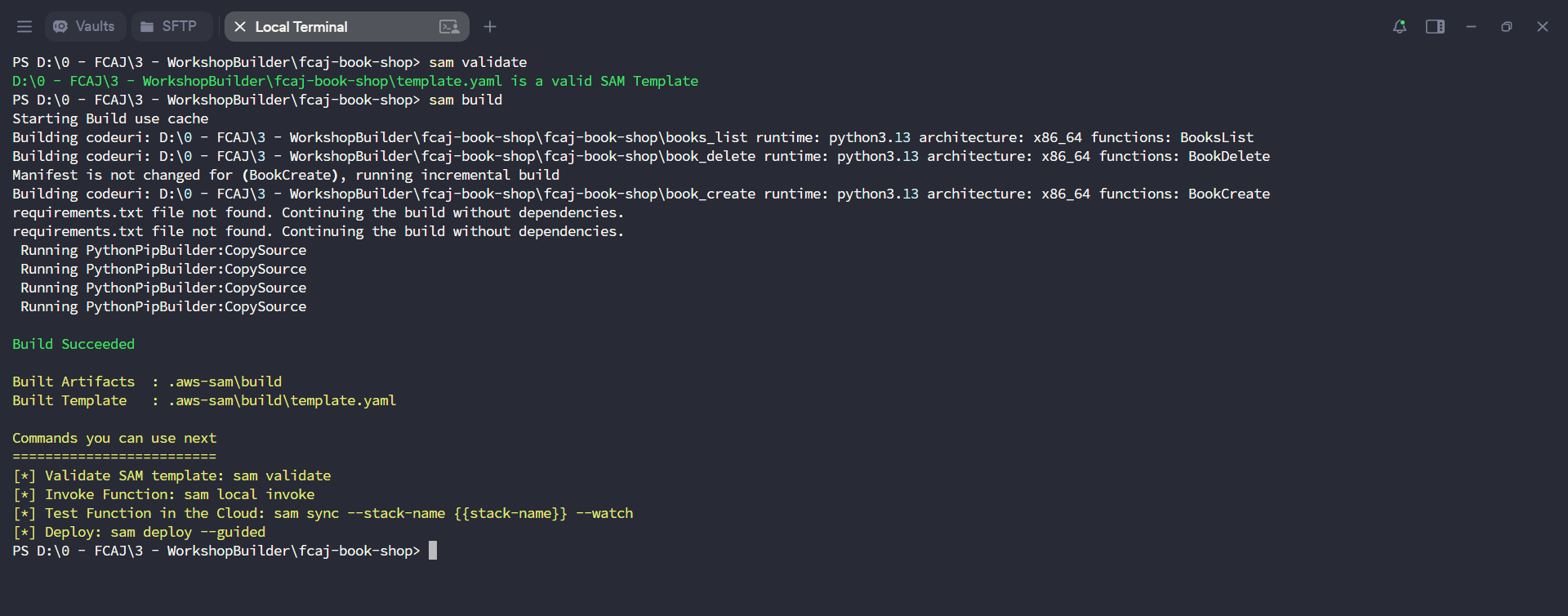
Deploy the updated stack:
sam deployThe changeset will show the following new resources being added:
BookApiGet(AWS::ApiGateway::Method)BookApiDeployment(AWS::ApiGateway::Deployment)BookApiStage(AWS::ApiGateway::Stage)BookApiGetInvokePermission(AWS::Lambda::Permission)
Enter
yto confirm the deployment.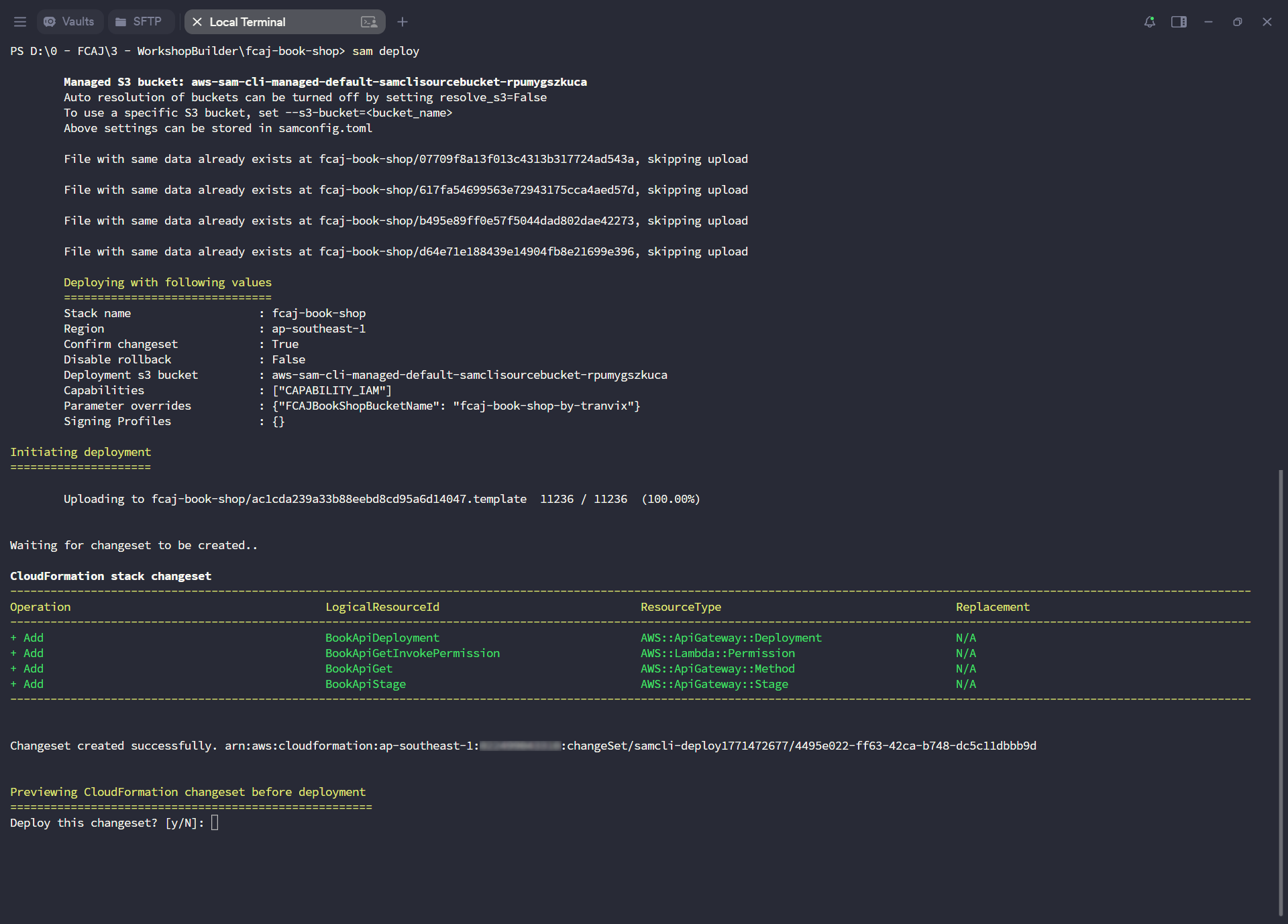
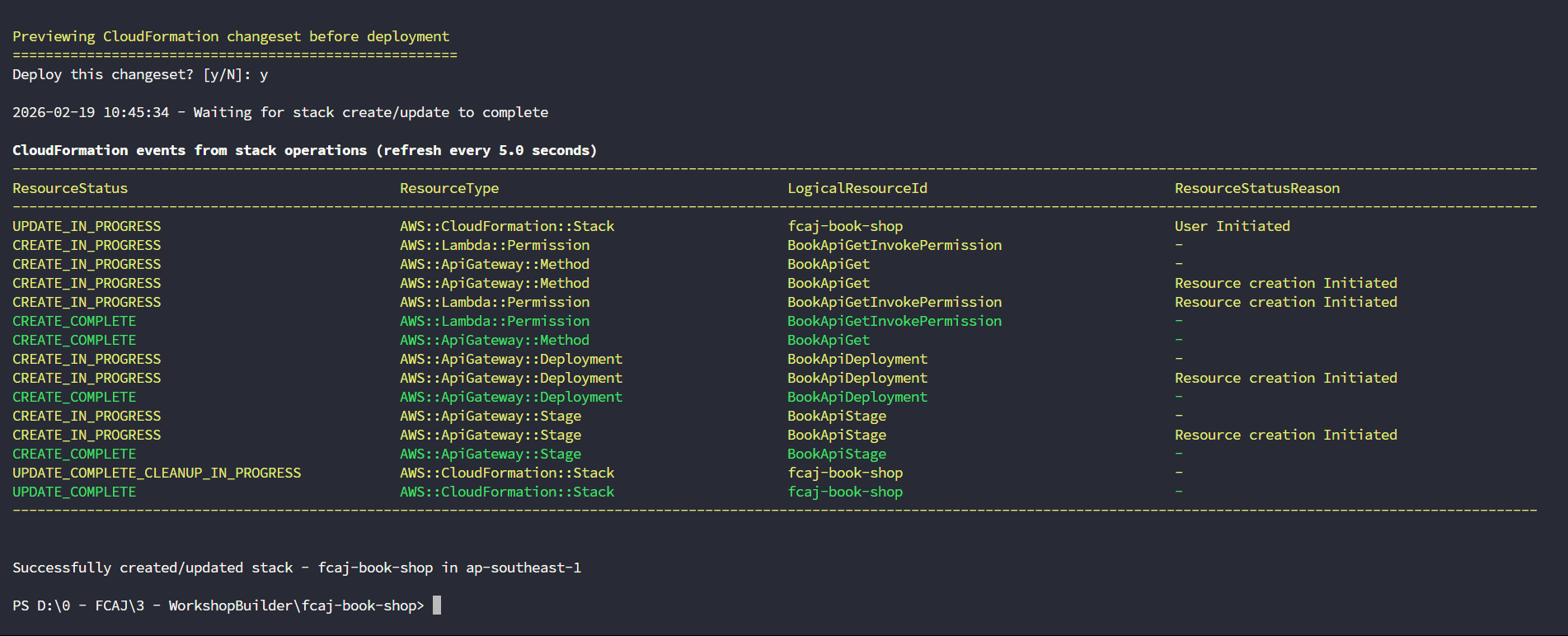
Wait for the deployment to complete. You should see Successfully created/updated stack - fcaj-book-shop in ap-southeast-1.
Verify on AWS Console
Open the AWS API Gateway console. Click on the fcaj-serverless-api REST API.
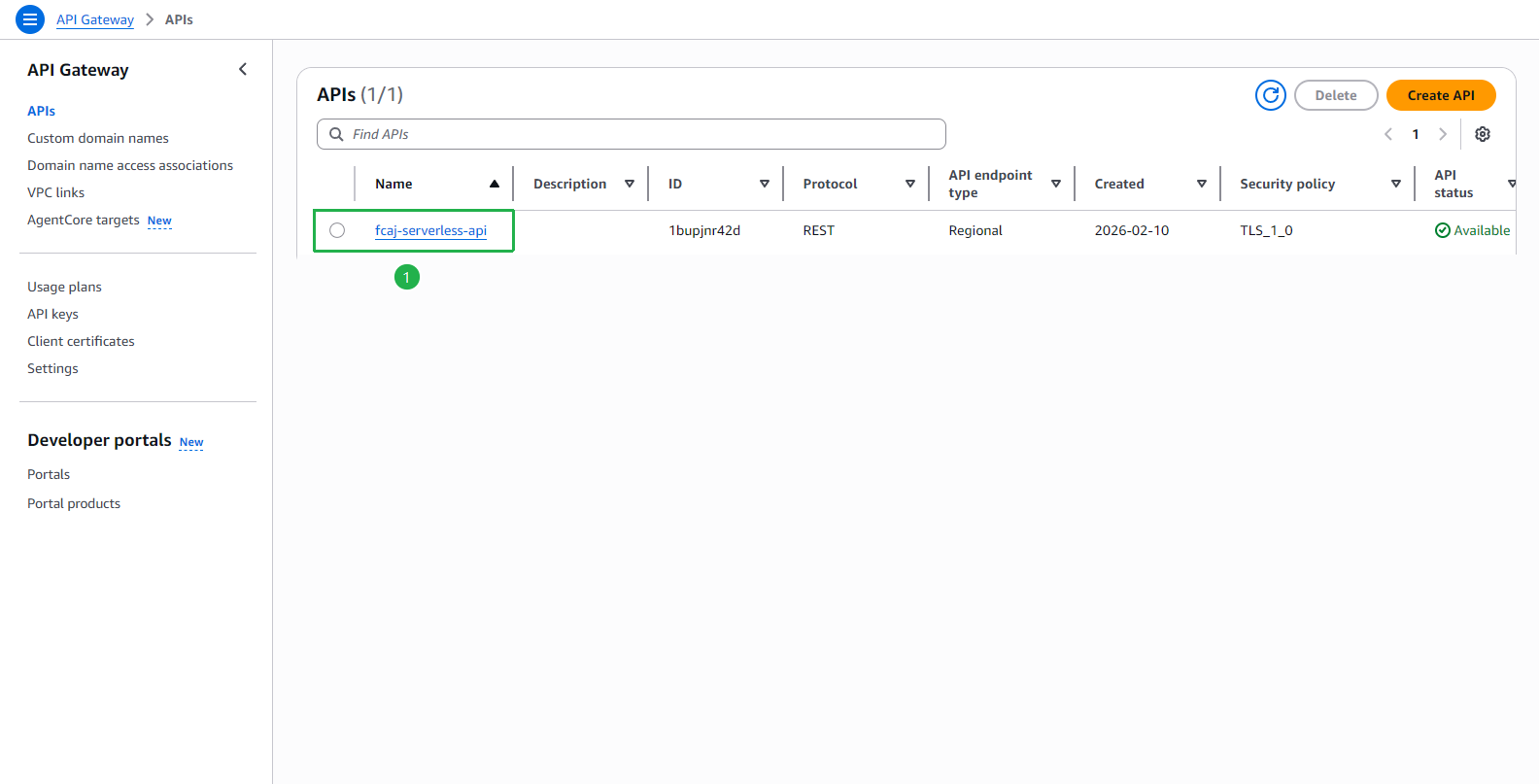
At the fcaj-serverless-api page:
- Click Resources in the left menu.
- Select GET under the
/booksresource. - Click the Lambda integration tooltip on the right side of the method execution diagram — confirm the integrated function is books_list.
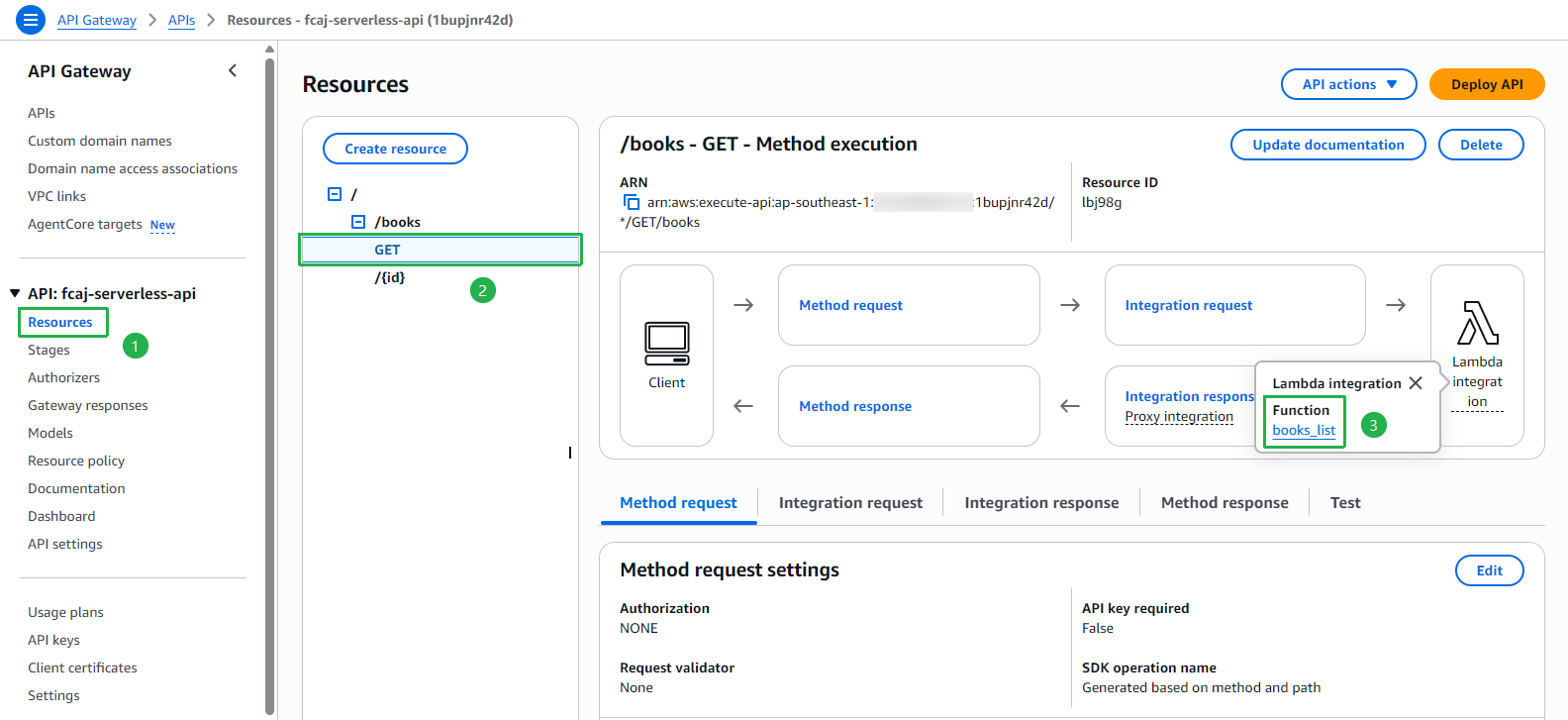
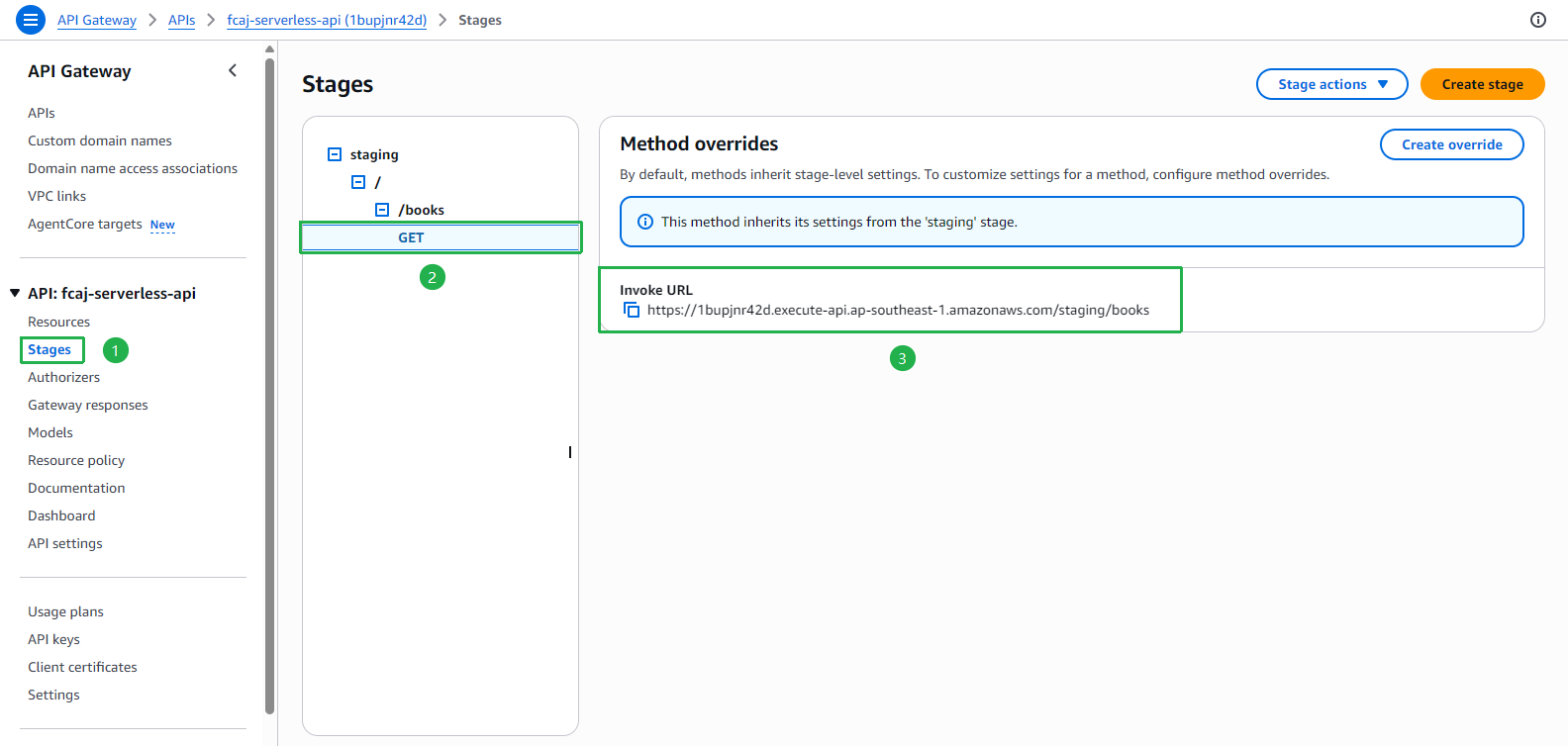
Click Stages in the left menu.
- Expand the staging stage → /books → select GET.
- Copy and save the Invoke URL — you will need it to configure the frontend.
Example:
https://1bupjnr42d.execute-api.ap-southeast-1.amazonaws.com/staging/books