Chuẩn bị
Trong bước này, chúng ta thêm các tham số cần thiết và định nghĩa tài nguyên API Gateway vào template.yaml, sau đó triển khai SAM stack để khung REST API sẵn sàng trước khi gắn các HTTP method cụ thể ở các phần tiếp theo.
1. Thêm Parameters vào template.yaml
Mở template.yaml trong thư mục fcj-book-shop.
Trong phần
Parameters:, thêm bốn tham số mới như bên dưới. Các giá trị này sẽ được tham chiếu bởi các tài nguyên API Gateway mà chúng ta tạo tiếp theo.apiType: Type: String Default: REGIONAL binaryMediaType: Type: String Default: multipart/form-data getOrPostPathPart: Type: String Default: books deletePathPart: Type: String Default: "{id}"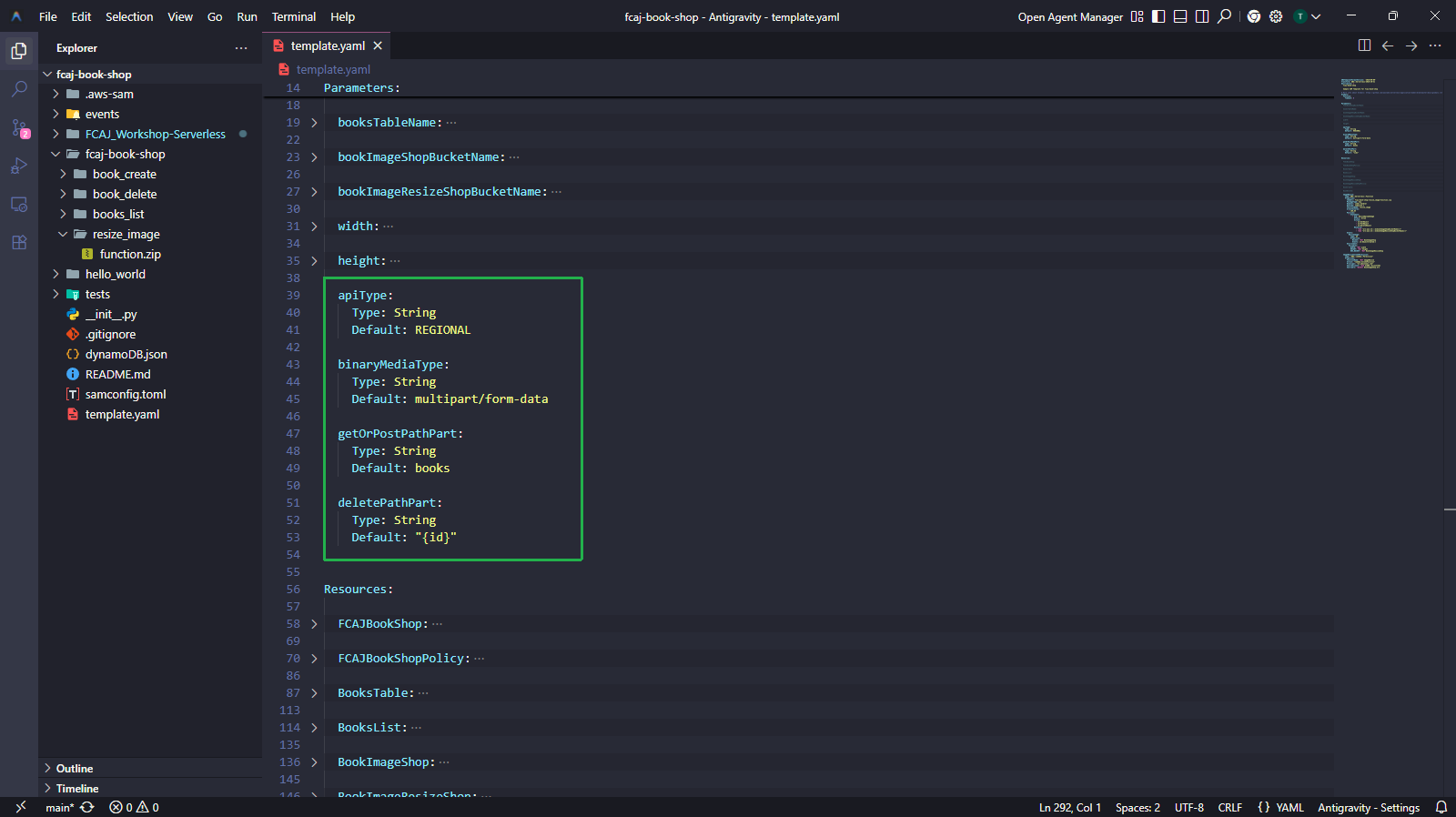
2. Thêm tài nguyên API Gateway
Trong phần
Resources:(bên dưới các tài nguyên Lambda và S3 hiện có), thêm ba tài nguyên sau:- BookApi — tạo REST API tên
fcj-serverless-apivới endpoint Regional và hỗ trợ binary media typemultipart/form-data. - BookApiResource — tạo path resource
/booksdưới root của API. - BookDeleteApiResource — tạo path resource
/{id}dưới/books, dùng cho các thao tác DELETE.
BookApi:
  Type: AWS::ApiGateway::RestApi
  Properties:
    Name: fcj-serverless-api
    EndpointConfiguration:
      Types:
        - !Ref apiType
    BinaryMediaTypes:
      - !Ref binaryMediaType

BookApiResource:
  Type: AWS::ApiGateway::Resource
  Properties:
    RestApiId: !Ref BookApi
    ParentId: !GetAtt BookApi.RootResourceId
    PathPart: !Ref getOrPostPathPart

BookDeleteApiResource:
  Type: AWS::ApiGateway::Resource
  Properties:
    RestApiId: !Ref BookApi
    ParentId: !Ref BookApiResource
    PathPart: !Ref deletePathPart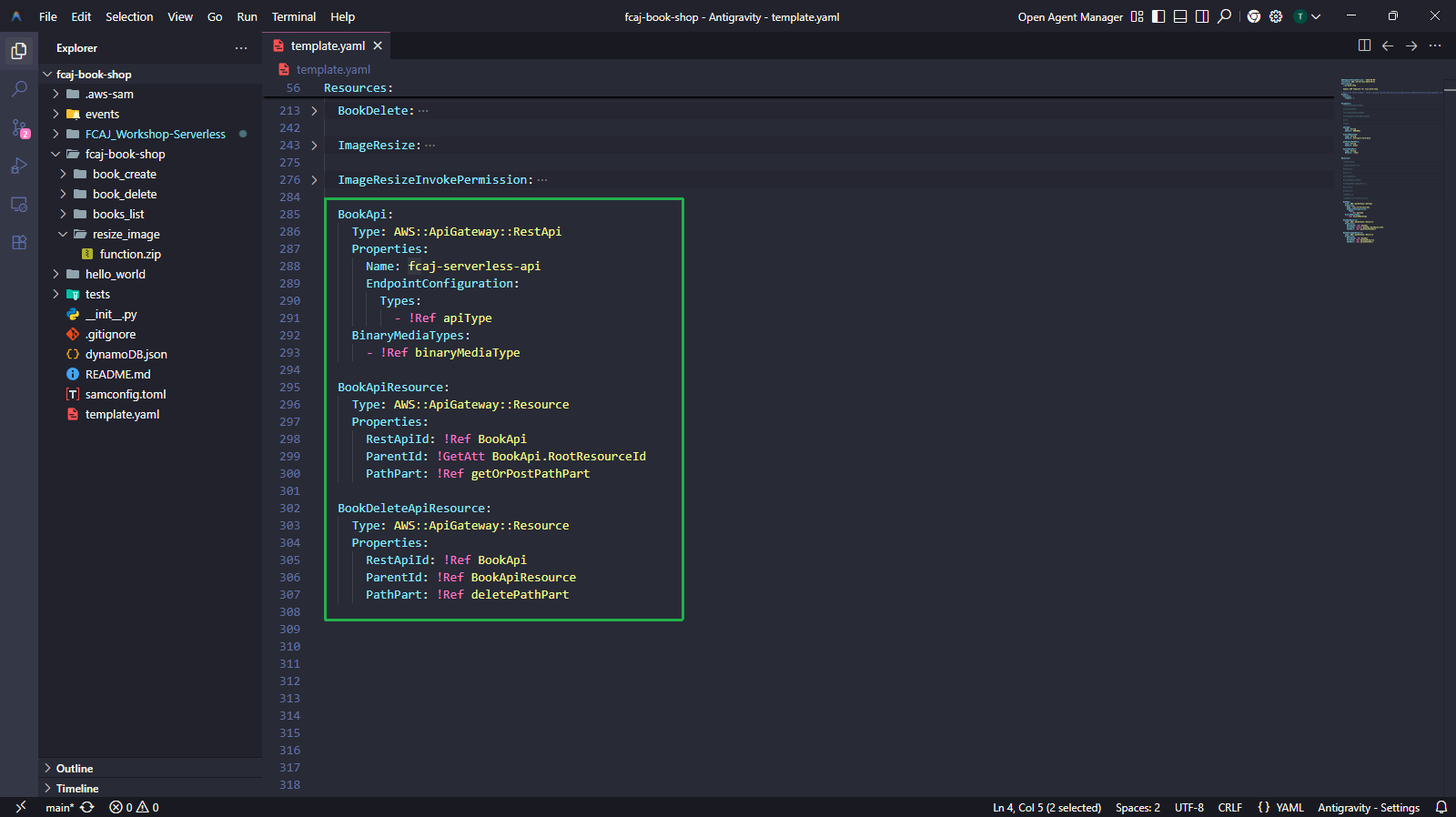
- BookApi — tạo REST API tên
3. Build và Deploy
Chạy các lệnh sau trong terminal để validate, build và deploy stack đã cập nhật:
sam validate
sam build
sam deploy
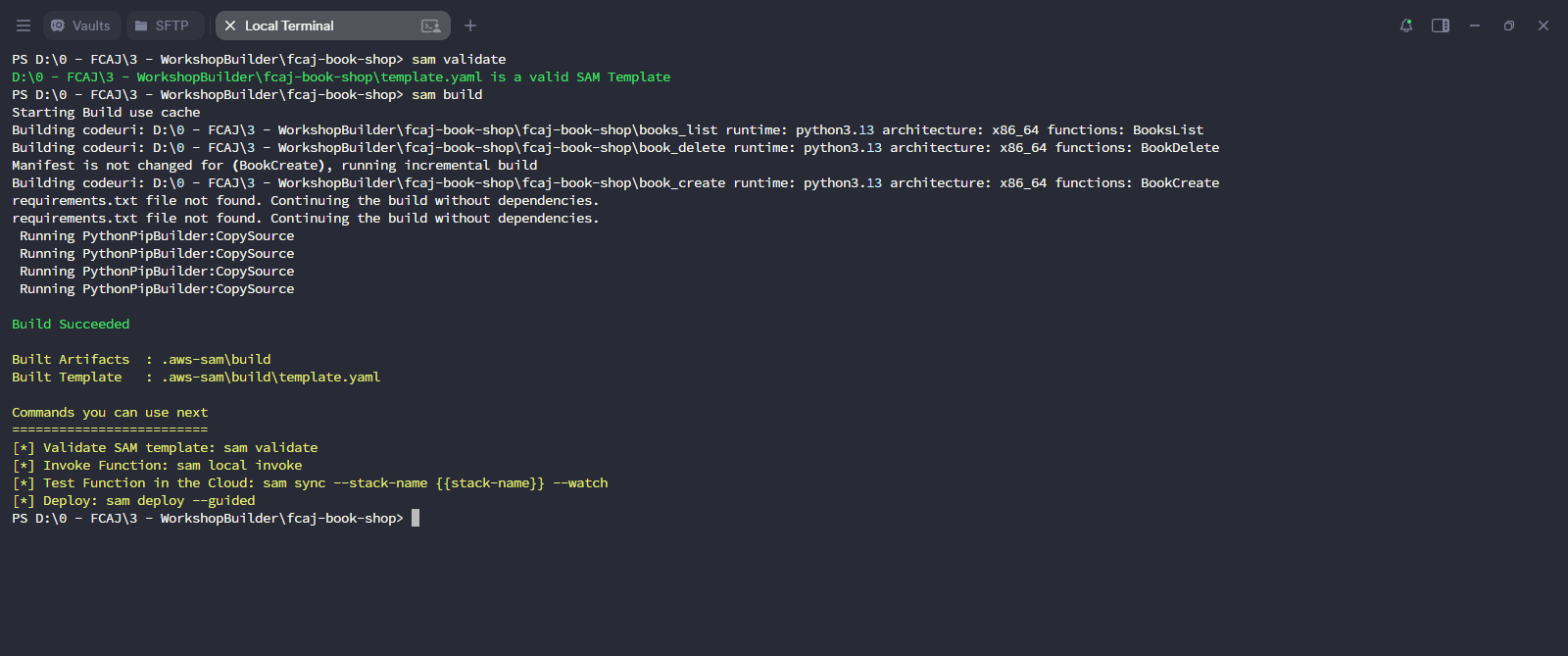
sam validatekiểm tra template có lỗi cú pháp không.sam buildđóng gói các Lambda function và giải quyết dependencies.
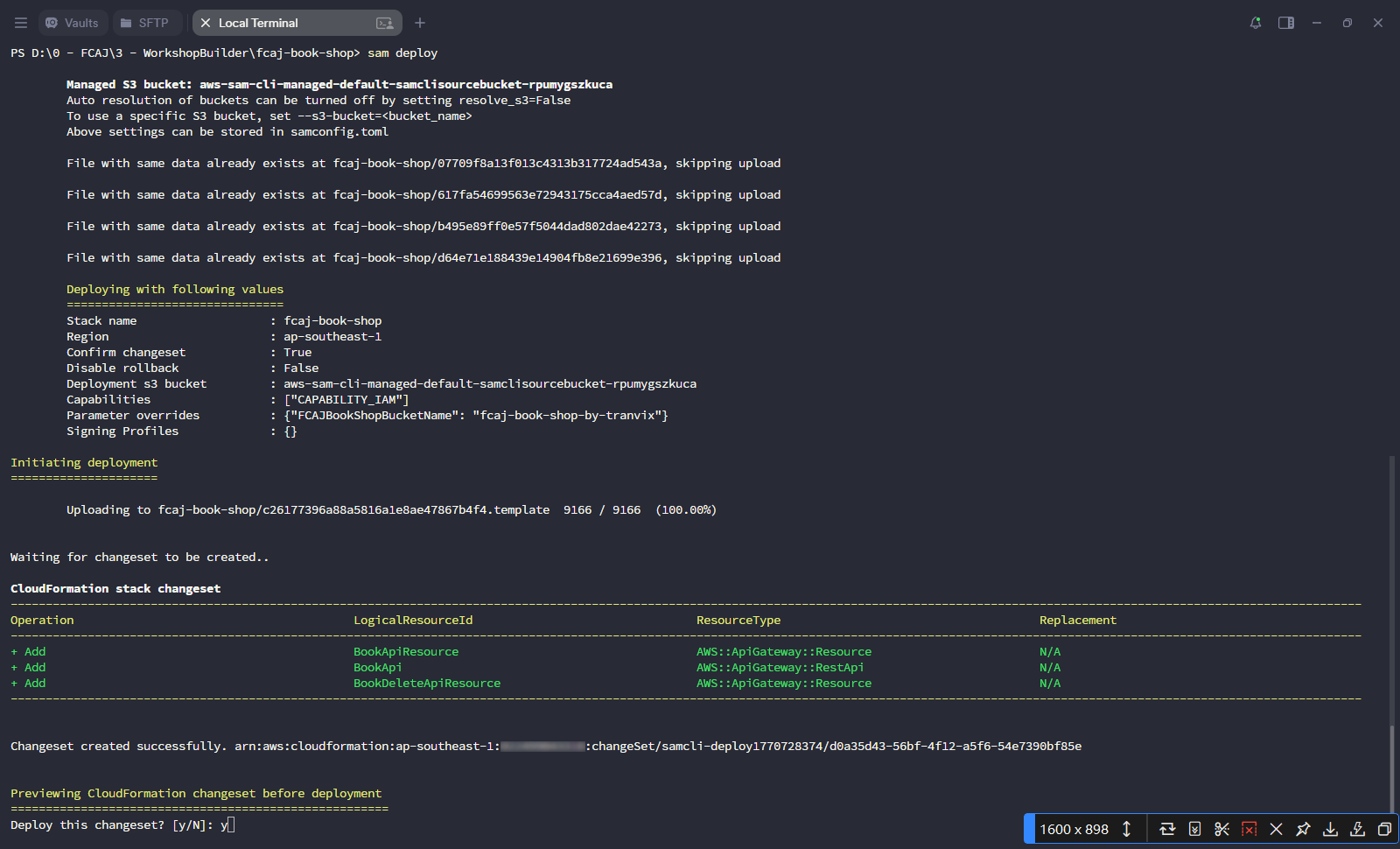
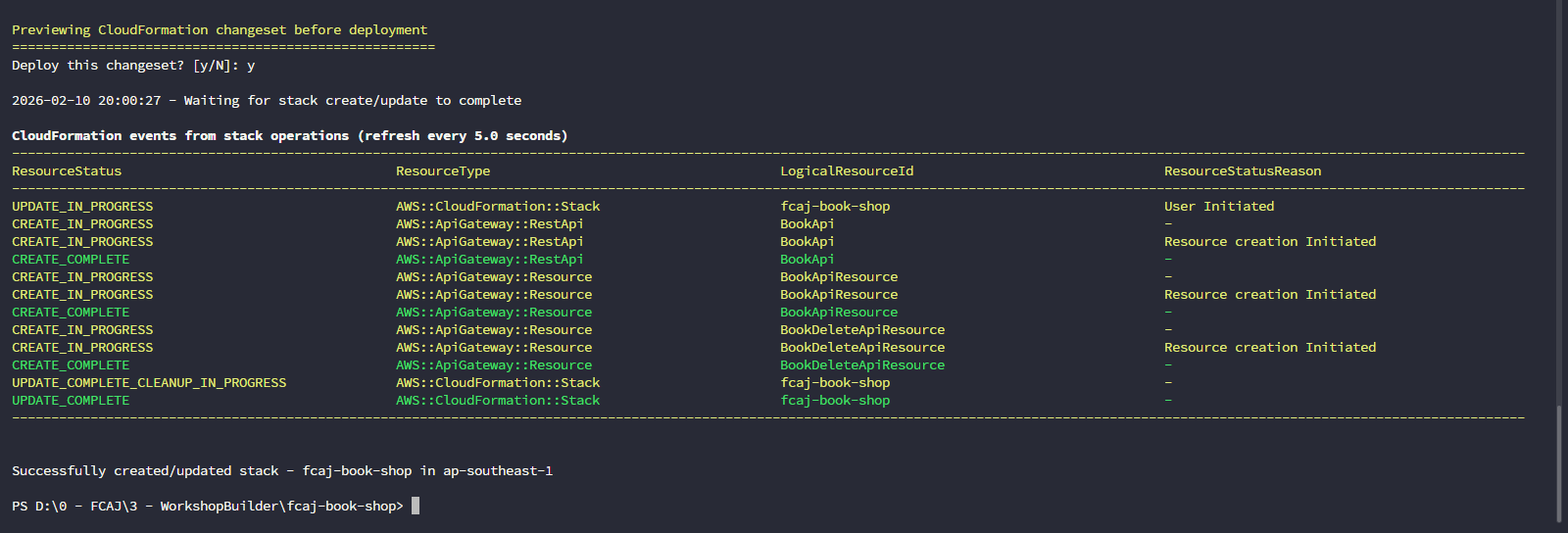
sam deploytải lên template và hiển thị CloudFormation changeset. Xác nhận bằng y khi được hỏi.- Changeset sẽ thêm ba tài nguyên mới:
BookApi,BookApiResourcevàBookDeleteApiResource.
- Chờ CloudFormation events đạt trạng thái
UPDATE_COMPLETE. Output sẽ hiển thị “Successfully created/updated stack - fcaj-book-shop in ap-southeast-1”.
4. Xác minh trên API Gateway Console
Mở Amazon API Gateway console.
- Bạn sẽ thấy fcaj-serverless-api được liệt kê là REST API (Regional endpoint).
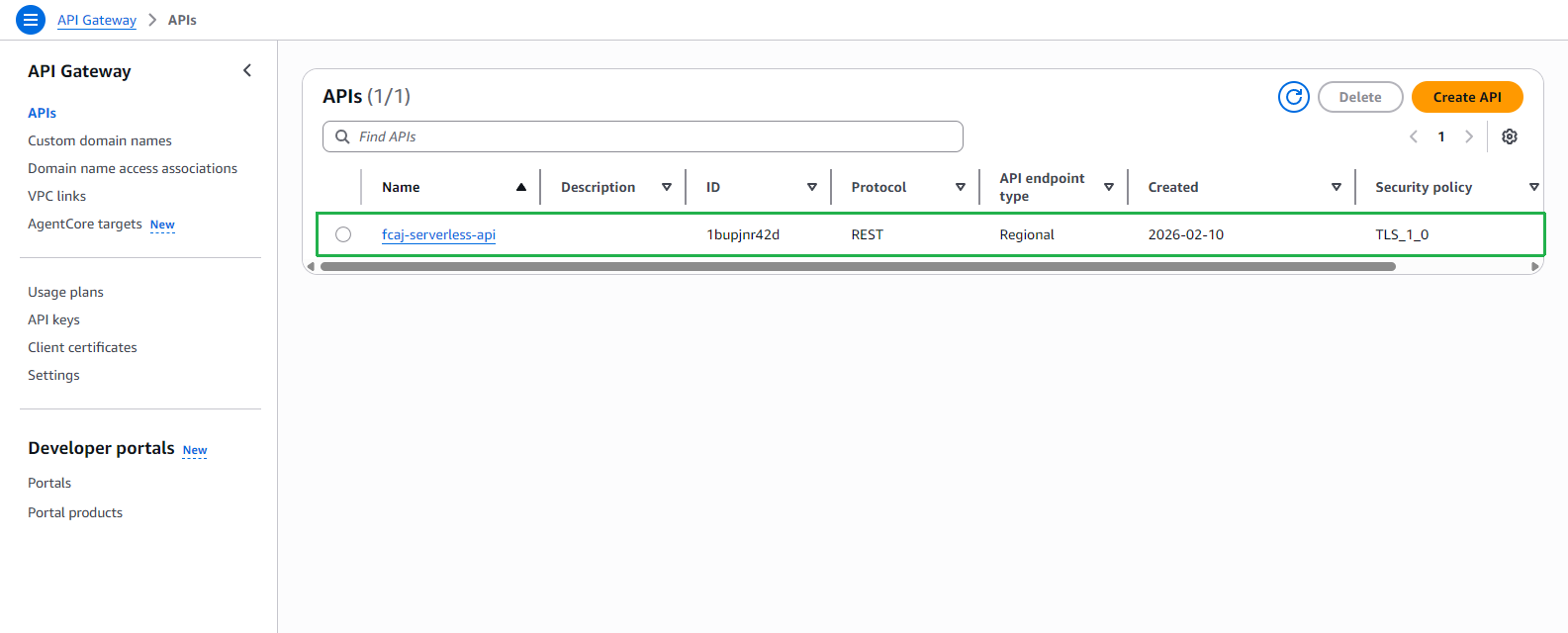
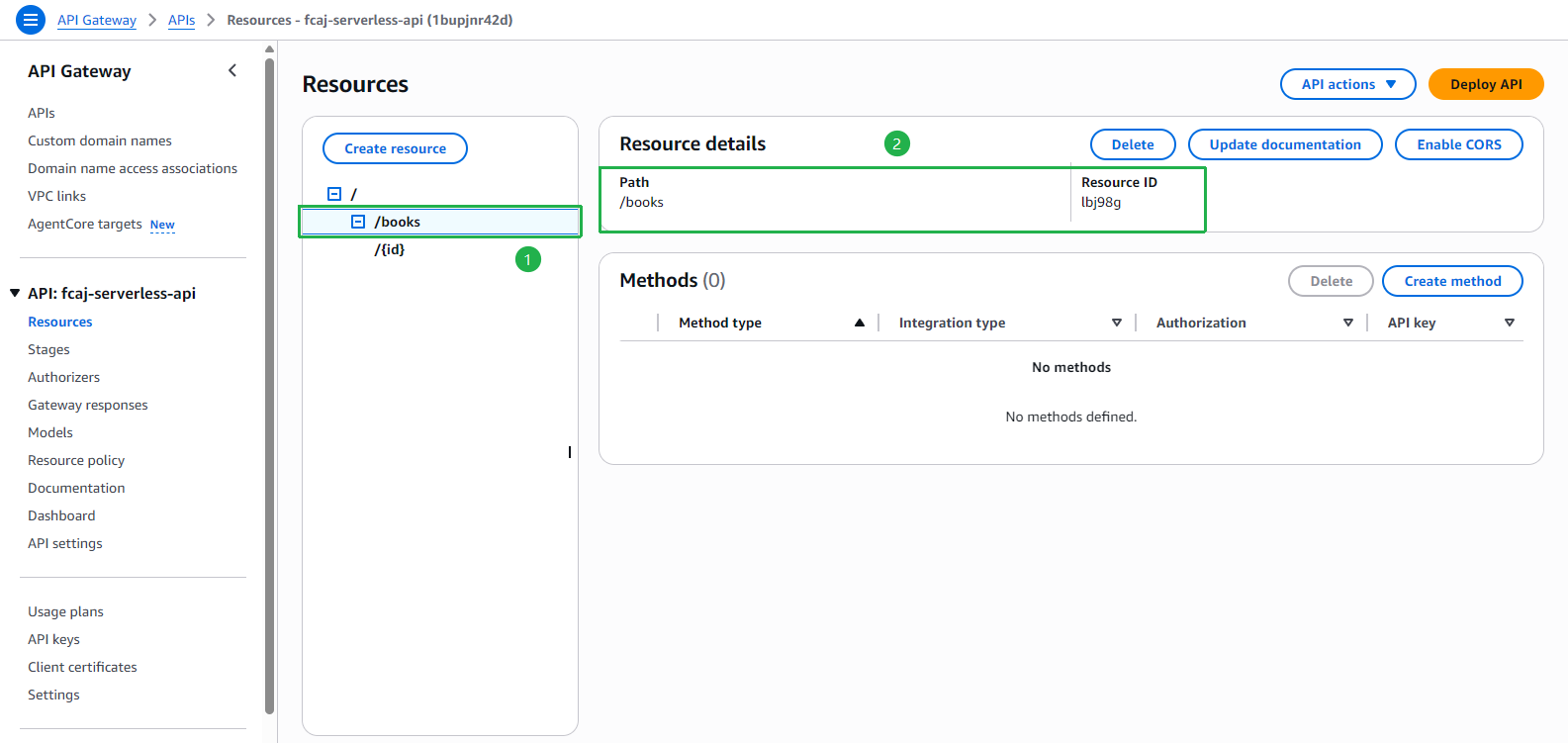
Nhấp vào fcaj-serverless-api → Resources trong thanh sidebar bên trái.
- Chọn /books trong cây tài nguyên.
- Xác nhận panel Resource details hiển thị
Path: /books.
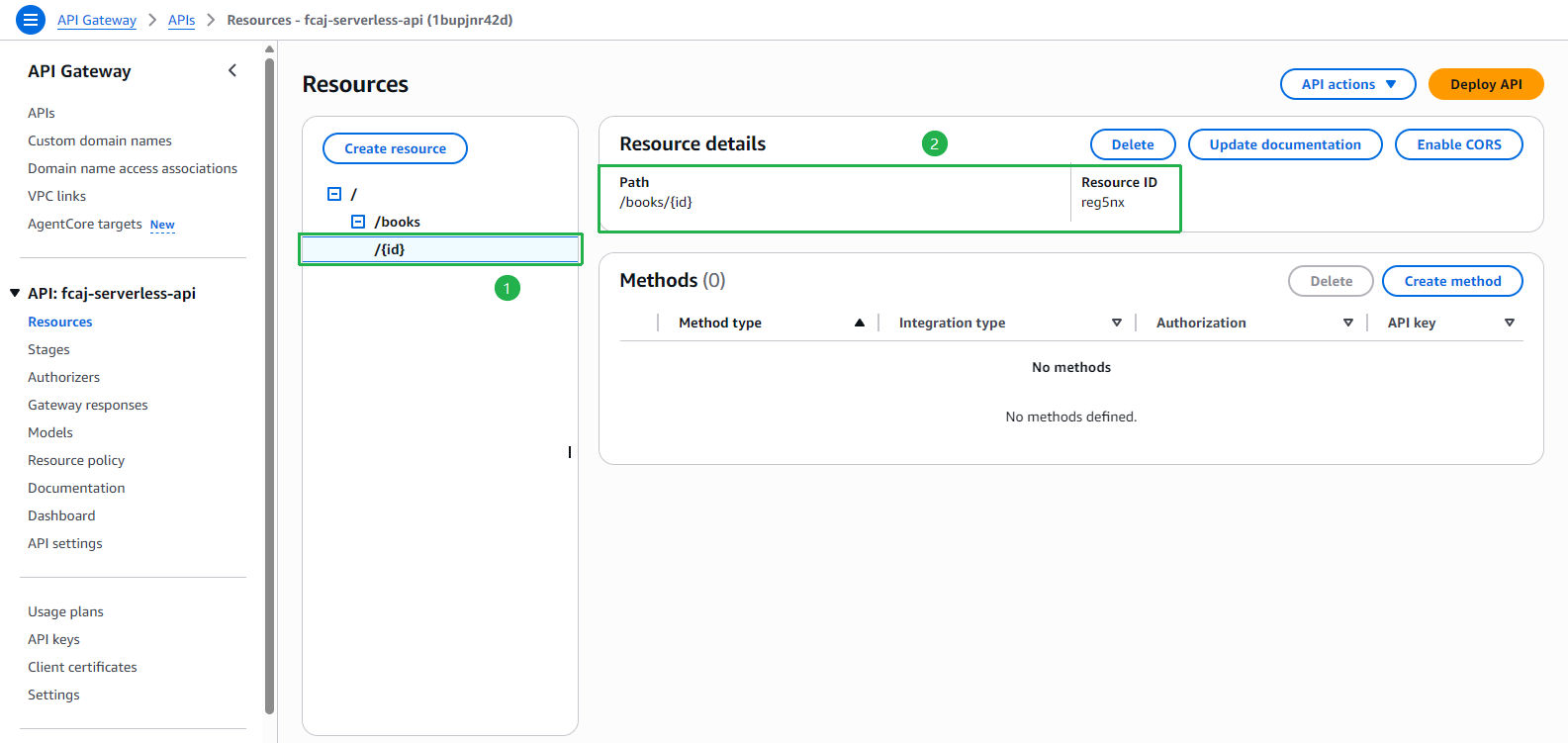
- Chọn /{id} trong cây tài nguyên.
- Xác nhận panel Resource details hiển thị
Path: /books/{id}.
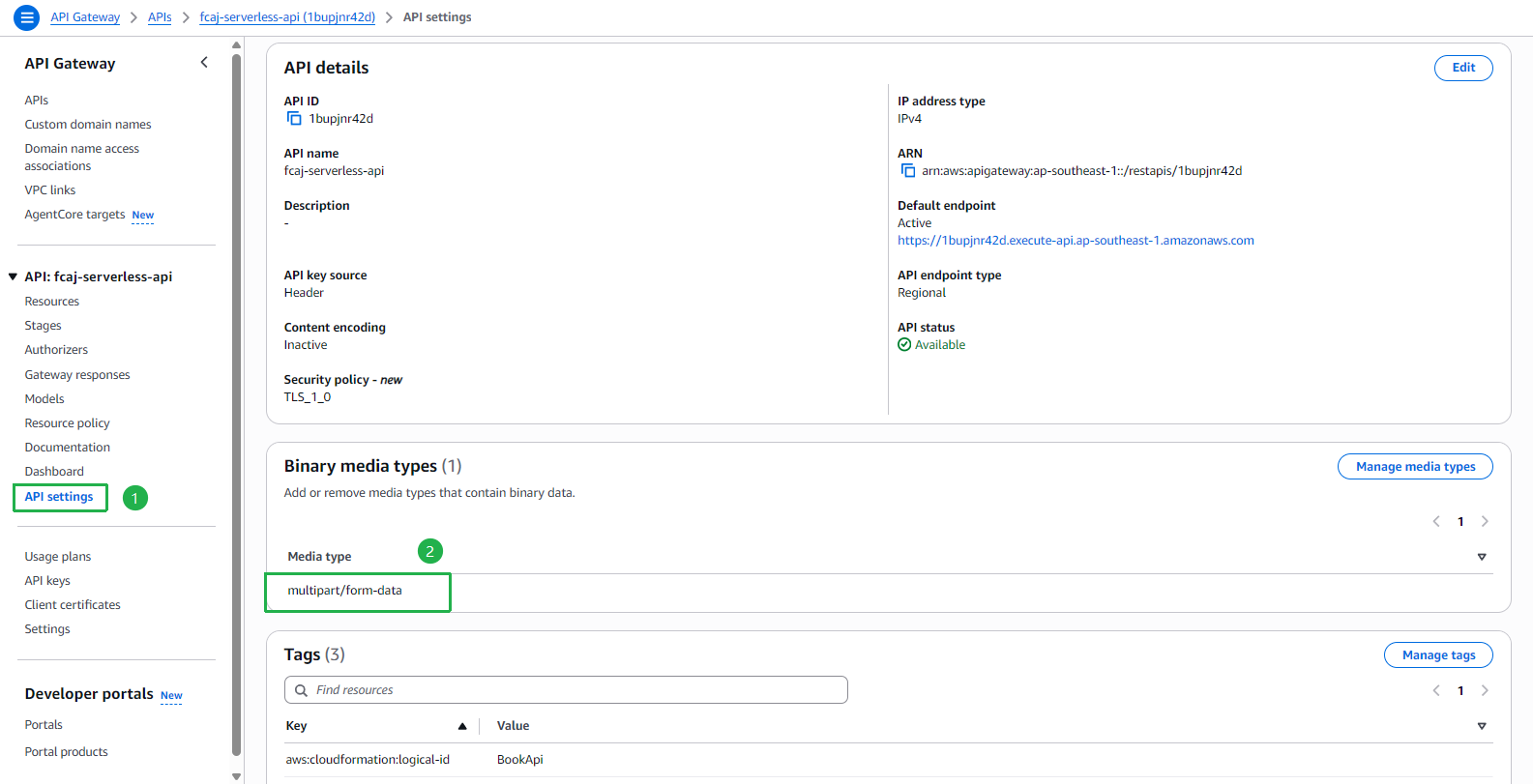
Nhấp vào API settings trong thanh sidebar bên trái.
- Trong phần Binary media types, xác nhận
multipart/form-datađược liệt kê. Điều này là cần thiết để tải ảnh qua POST API.
- Trong phần Binary media types, xác nhận
Các bước chuẩn bị đã hoàn tất. Khung API (/books và /books/{id}) đã được triển khai. Trong các phần tiếp theo, chúng ta sẽ gắn các method GET, POST và DELETE vào các resource này.